
Netflix Games on PC: Full Browser & TV List for July 2026
I rechecked the UK Netflix Games browser library. Here is what actually plays on PC and TV, what changed since March, and which old quirks are still there.

Can you actually play Netflix Games on a browser?
Yes, but the browser and TV library is much smaller than the mobile library. I checked my UK Netflix account again on 2 July 2026 and found 20 games that can be played through the browser/TV experience. The games load well, but a few of the awkward desktop quirks I spotted before are still there. If you want the bigger business story, I also explain why Netflix started games in a separate guide.
01 The Browser Experience
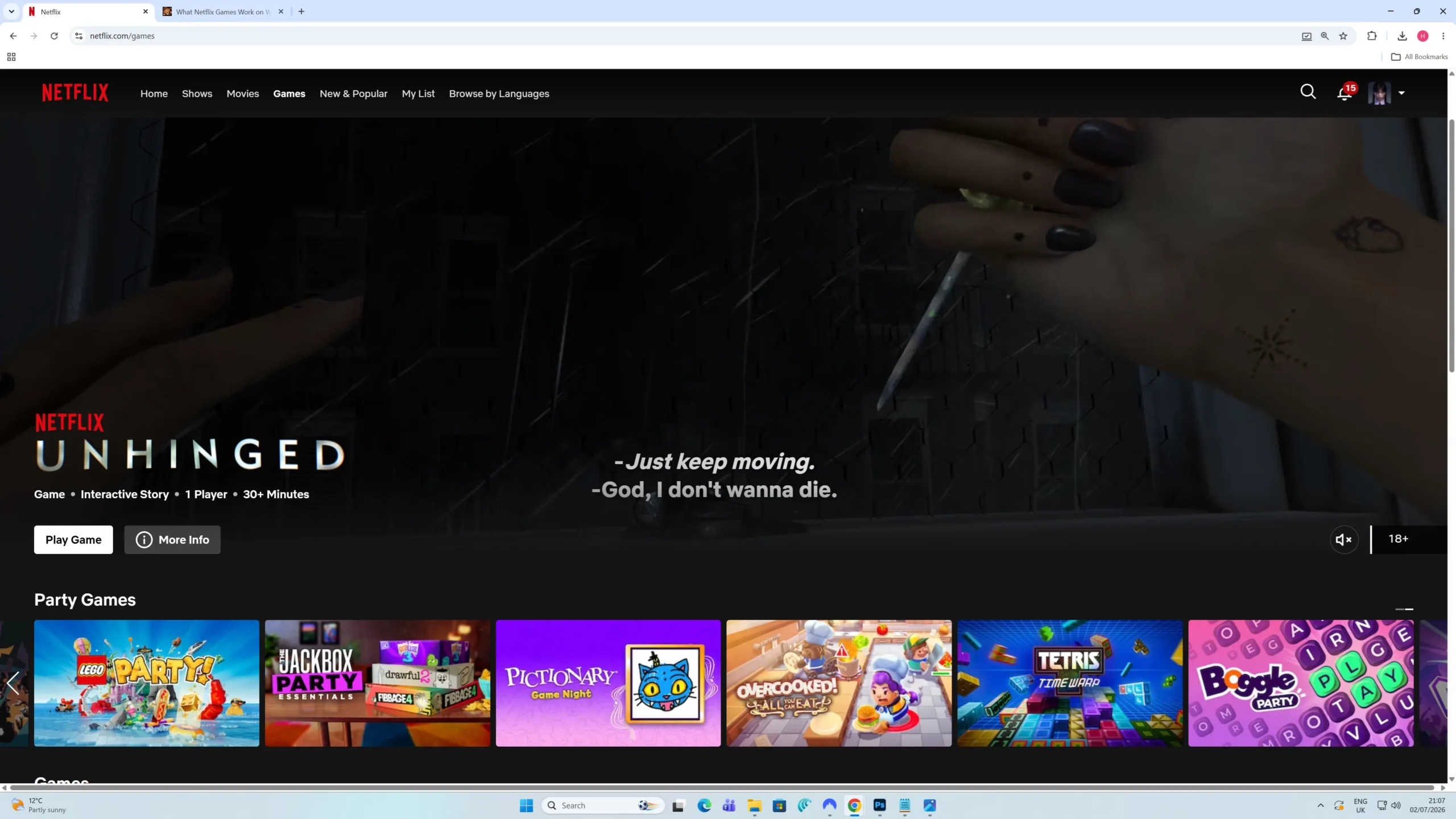
Netflix Games on a desktop browser feels better than you might expect. The page looks polished, the game cards expand when you hover over them, and the whole thing feels more premium than a hidden extra feature buried inside a streaming service.
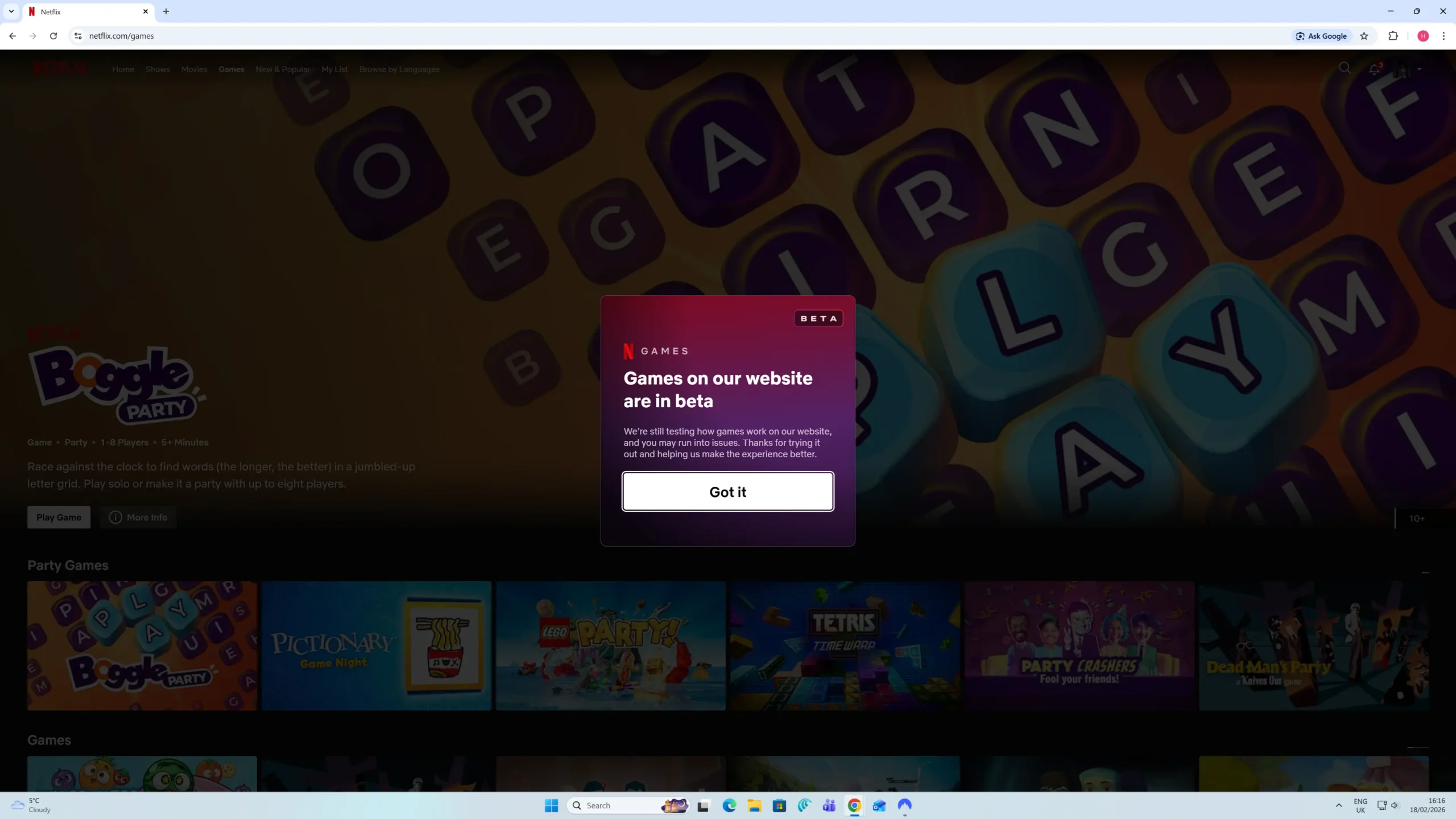
The downside is that the desktop interface still has the same awkward bits I noticed in my earlier check. So this is not a “Netflix fixed everything” update. The library has grown, but the experience still needs work.
If you are already paying for Netflix, the browser games are a nice bonus. They are not a reason to subscribe by themselves, but they do make the standard subscription feel a little more useful. For the rest of the service, see my full Netflix review.
The scrolling issue is still there
The biggest desktop annoyance is still the horizontal scrolling. To move through the game row, you have to push your cursor right to the edge of the screen before the small arrow appears.
That sounds minor, but it makes the library feel more hidden than it should. If you do not know the arrow is there, it is easy to assume you have reached the end of the list. I rechecked this in July and the quirk still exists.
02 How Many Netflix Games Work on PC and TV?
The number depends on where you play. Netflix has a much larger games library on mobile, but the browser and TV list is smaller and more curated.
On 2 July 2026, I found 20 games available to play through Netflix on a browser or TV in the UK.
That is an improvement from my March 2026 check, when I found 16 games. Netflix has added 4 more browser/TV games since then.
03 Party, Sports and Group Games
This is where Netflix’s browser gaming idea makes the most sense. These are the games you are more likely to put on the TV when friends or family are around, especially the drawing, trivia and party-style games.
04 Arcade, Puzzle and Solo Games
The rest of the list is more mixed. Some are quick arcade games, some are puzzle games, and a few are better suited to solo play when you just want something simple to open in the browser.
05 Added and Removed Since My Last Update
The good news is that I did not find any removals from the March browser/TV list. Every game I had listed in March is still available in my July check.
New games I found in July 2026
Games removed since March 2026
06 What Happens If You Click a Mobile-Only Game?
This part can be confusing. Some big Netflix mobile games still appear when you browse from a desktop, but they do not always launch on your PC.
For example, if you search for titles such as GTA: San Andreas or Hades, Netflix may show you the game page, but the browser usually acts more like a signpost than a launcher.
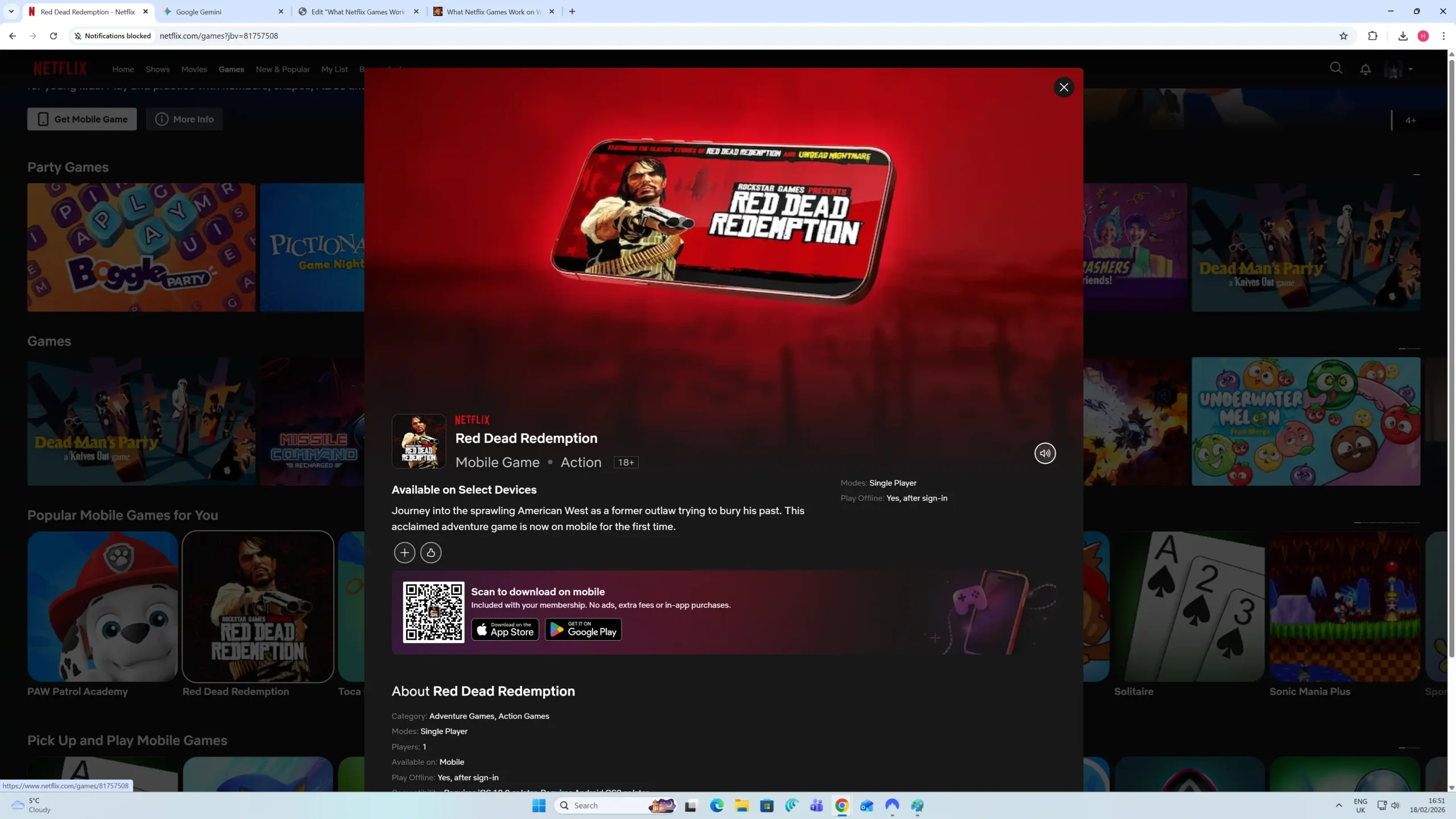
Instead of a normal play button, you get a QR code that sends you to the App Store or Google Play. It is useful if you were planning to play on your phone, but it is disappointing if you expected the game to open on your laptop.
One old quirk still stands out here: the preview window includes a mute/unmute button even when the preview itself has no sound. It is not a deal-breaker, but it makes the desktop experience feel unfinished.
07 What Are the Games Like to Play?
I tried a few games again to check how they felt on PC and TV. The good news is that the actual streaming and input response were solid. Menus reacted quickly, and I did not notice any major input lag while playing casual titles.
Some games look better on a phone-sized screen
The main issue is not performance. It is presentation. Happy Gilmore: Golf Mayhem ’98 Demo has a deliberately retro look, but on a modern monitor it looks very rough.
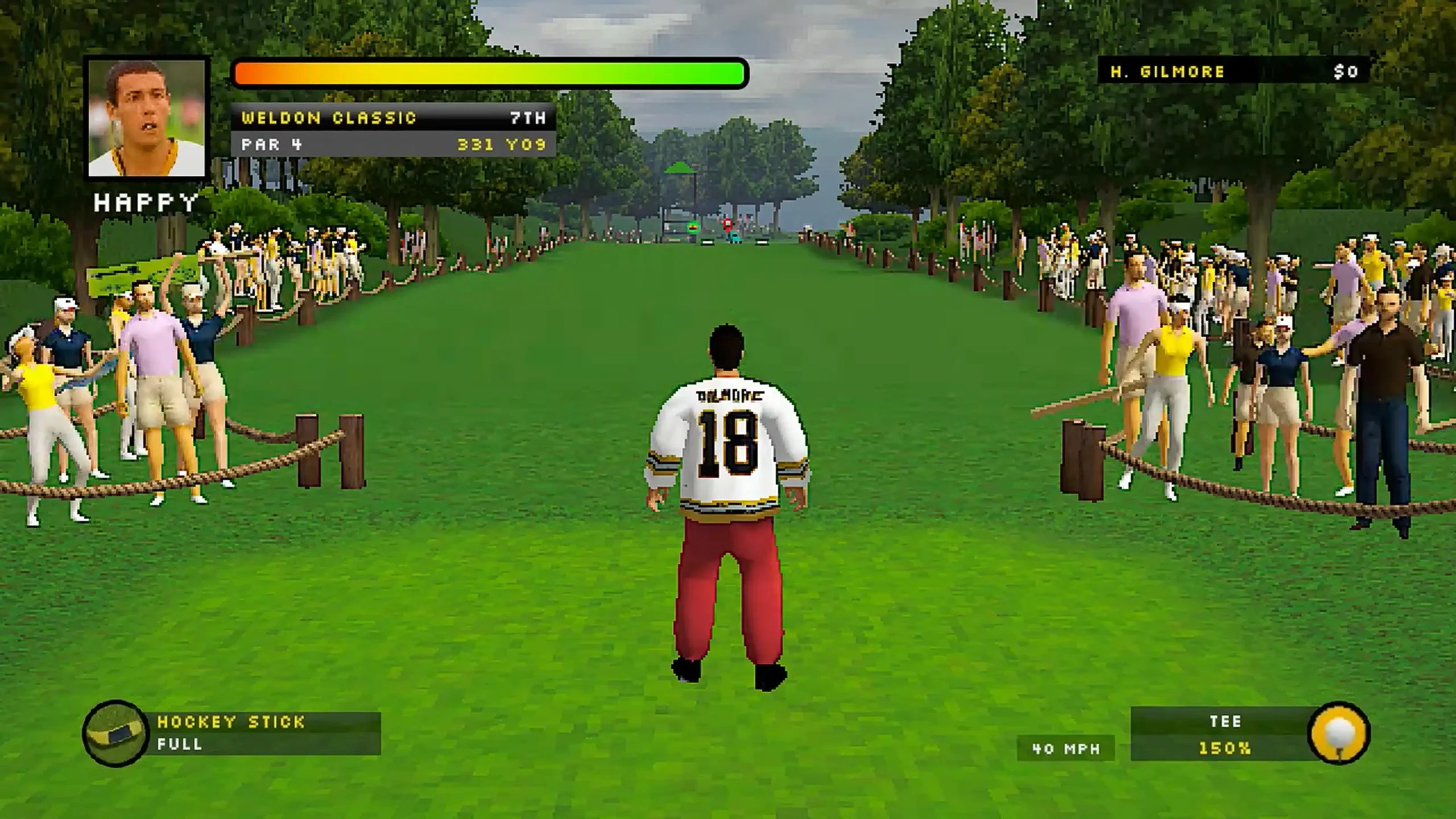
That is part of the joke, but it will not be for everyone. On a smaller screen, the low-resolution style would probably be less distracting. On a desktop monitor, it is much more obvious.
Overall, Netflix’s browser games are best treated as quick casual extras. They are fun to try, especially the party games, but they are not trying to replace a proper PC gaming library.
08 How the Controls Work
You may still need your phone
Do not assume every browser game works with just a mouse and keyboard. Some titles are made for TV-style play and still ask you to scan a QR code with your phone.
This makes sense for games like Pictionary: Game Night, where your phone becomes the drawing pad. It works smoothly once set up, but it is worth knowing before you invite people over and expect everything to work from one controller.
09 Getting In and Out of Full Screen
This is another quirk from my earlier testing that still exists. When you launch a game, Netflix pushes the browser straight into full-screen mode.
That makes sense for playing, but getting back out is not as obvious as it should be. There is no big friendly exit button sitting on the game screen, so these are the two methods I use:
-
Method 1: Shift + Tab
Pressing Shift + Tab can bring up the browser overlay, but it is still a bit fiddly. You may need a couple of extra clicks to get back to where you were. -
Method 2: Hold Esc
This is the easier fix. Do not just tap Escape. Hold the Esc key for a second or two and the browser should drop out of full-screen mode.
10 Frequently Asked Questions

Sources & Testing Notes
This guide is based on my own Netflix UK browser testing and screenshots.
- 1. Rechecked on PC using Chrome on Windows 11 on 2 July 2026.
- 2. Netflix UK browser and TV-playable library checked again against the March 2026 list.
- 3. No March-listed browser/TV games were found missing in the July check.
- 4. Personal screenshots: July 2026 browser proof screenshot, Beta notice, Mobile popup, Gameplay test.