
What Netflix Games Work on PC? The 2026 List & Gameplay Test
I tested the PC experience in 2026. The games are great, but the interface has flaws.

Are Netflix Games On Web Browsers any good?
I personally checked the Netflix desktop library today to see what is actually going on. While the games run smoothly, I discovered some annoying quirks in the interface. It is a strange move for a movie company, but if you want to understand the business strategy behind it, you should read my deep dive on why Netflix started games.
01 The Desktop Experience & The UI Flaw
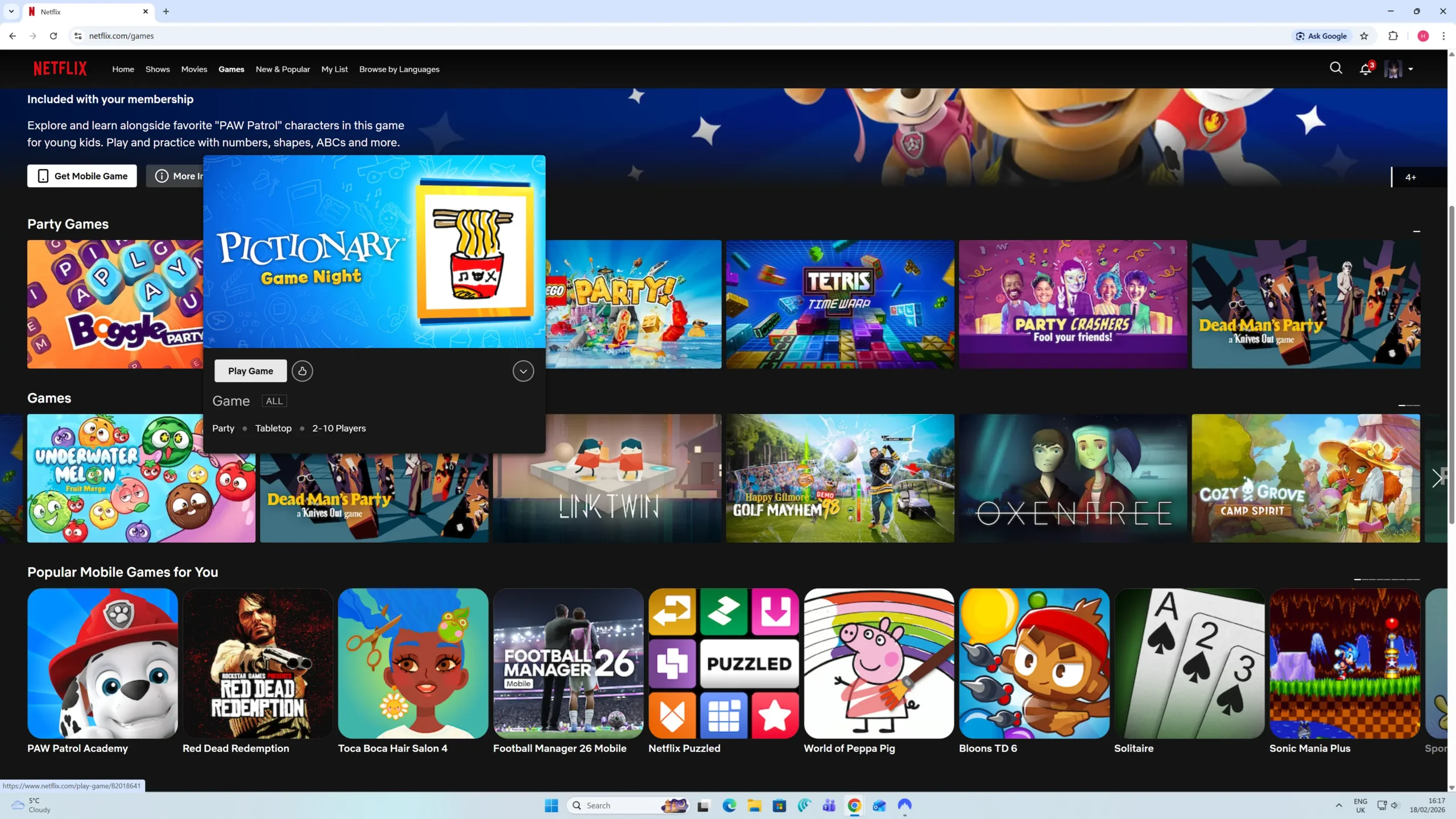
I tried this on my PC here in the UK. First, the good news: the interface looks premium. When you browse the games section on a web browser, there is a really nice interaction where the game cards "pop out" and expand when you hover your mouse over them.
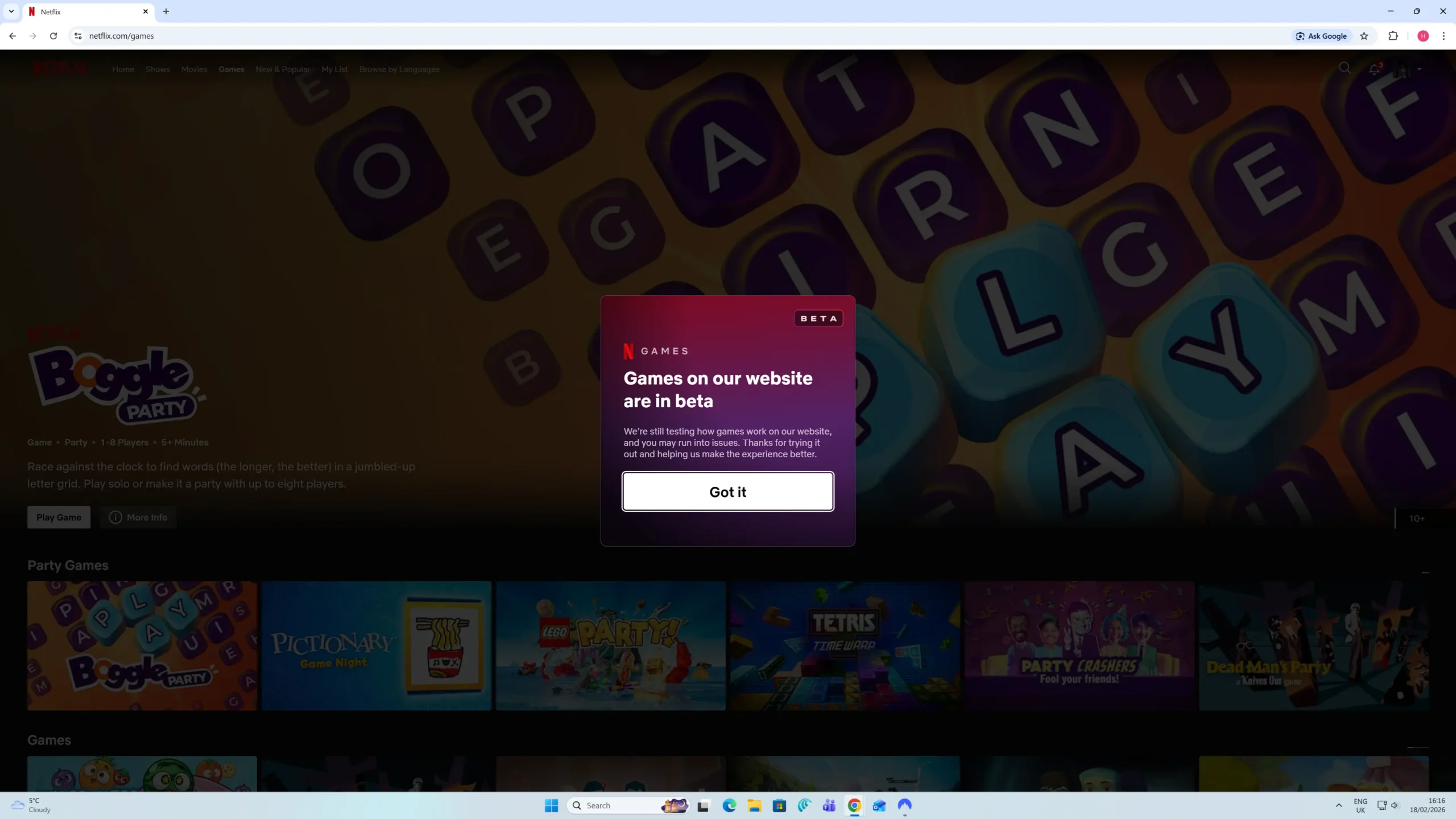
It adds a lot of value to the standard subscription. If you want to see how the rest of the service stacks up in 2026, check out my full Netflix review.
The Scrolling Problem
However, there is a significant fault that I really do not like. Navigating the list is surprisingly difficult.
To scroll horizontally through the list of games, you have to move your mouse cursor right to the very edge of the screen. Only then does a small arrow appear to let you click next. The "active area" where this arrow appears is incredibly small.
If you are not precise, the arrow does not show up. I suspect most people might not even know there are more games in the list because the UI hides the scroll arrow so well. It is a frustrating design choice for desktop users.
02 How Many Games Are There?
There is often confusion about the size of the library because the mobile app has more titles (and better). On desktop and TVs, it is a very different story.
As of my check on 18th Feb 2026, I counted exactly 15 titles available for instant play on web browsers and TVs in the UK. This is a curated selection, not the full catalogue.
03 Party Games
On the Netflix gaming section, you will find a specific section dedicated to "Party Games". These are the titles I found on my UK account:
04 Arcade & Solo Games
Outside of the party section, there are several other titles that work directly in the web browser and TVs. I found a mix of retro reboots and narrative games.
05 What Happens If You Click a Mobile Game?
If you search for a major title like GTA: San Andreas or Hades on your desktop browser, you will still see them listed. However, you cannot play them there.
When you click on these titles, instead of the game launching, a modal window pops up with technical information. It serves as a directory rather than a launcher.
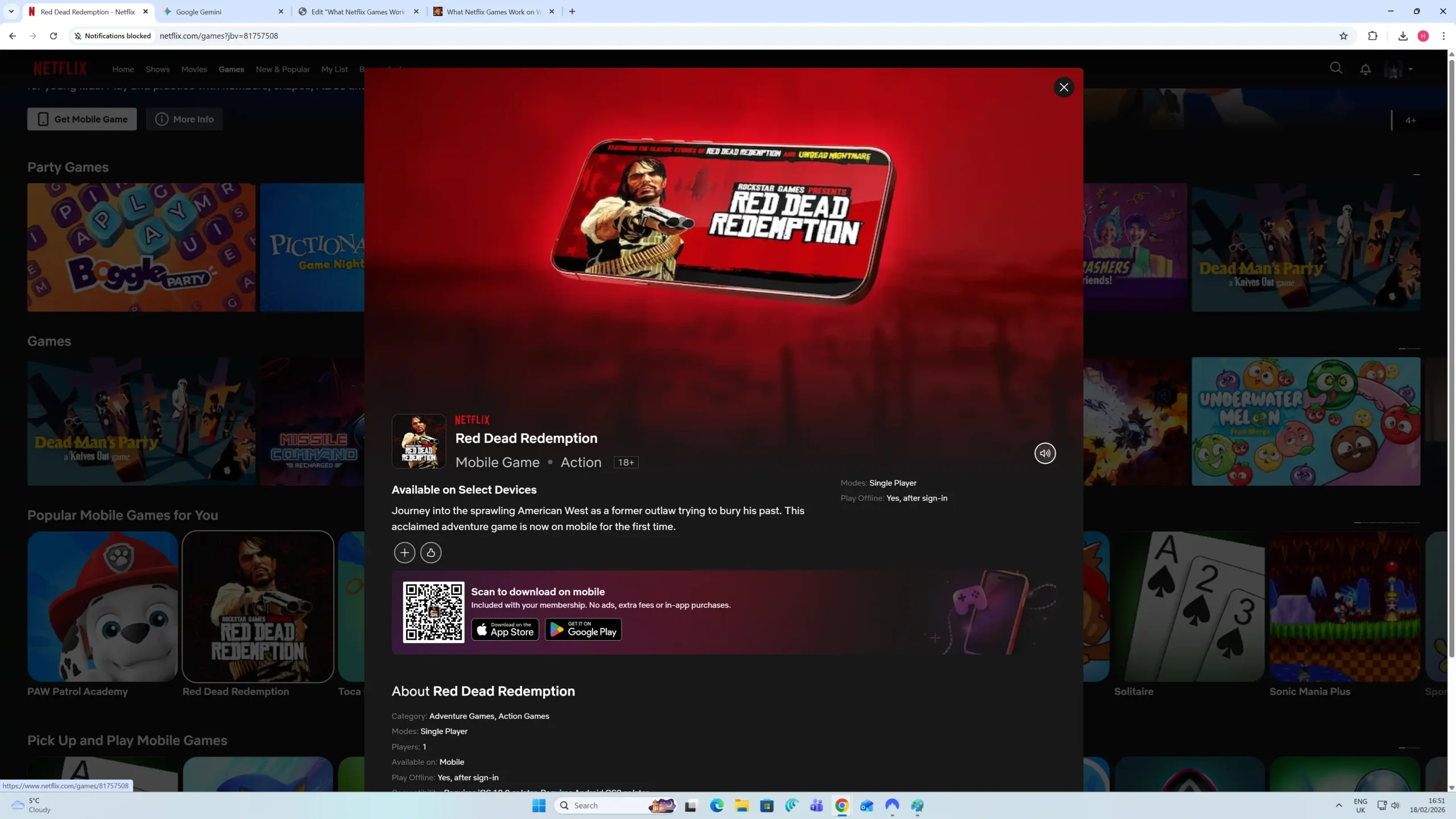
This popup provides key technical details about the game before you download it to your phone
The main feature here is the large QR Code in the centre. Scanning this with your phone takes you directly to the Apple App Store or Google Play Store to download the game, linked to your Netflix account.
I also noticed a strange UI quirk here. There is a volume button in the preview section that lets you mute and unmute. However, there is actually no sound on these previews anyway, so the button is completely obsolete, it feels like a bit of a lazy oversight in the design.
06 What Is It Actually Like To Play?
I fired up a few titles to test the latency. In general, the response time was crisp, and there was no noticeable input lag when I was setting my power levels for a swing or navigating menus on both PC and TV.
The Retro Trade-Off
However, not every game looks perfect on a big monitor. I specifically tried Happy Gilmore Golf Mayhem 98, which is essentially a small demo of an old game.
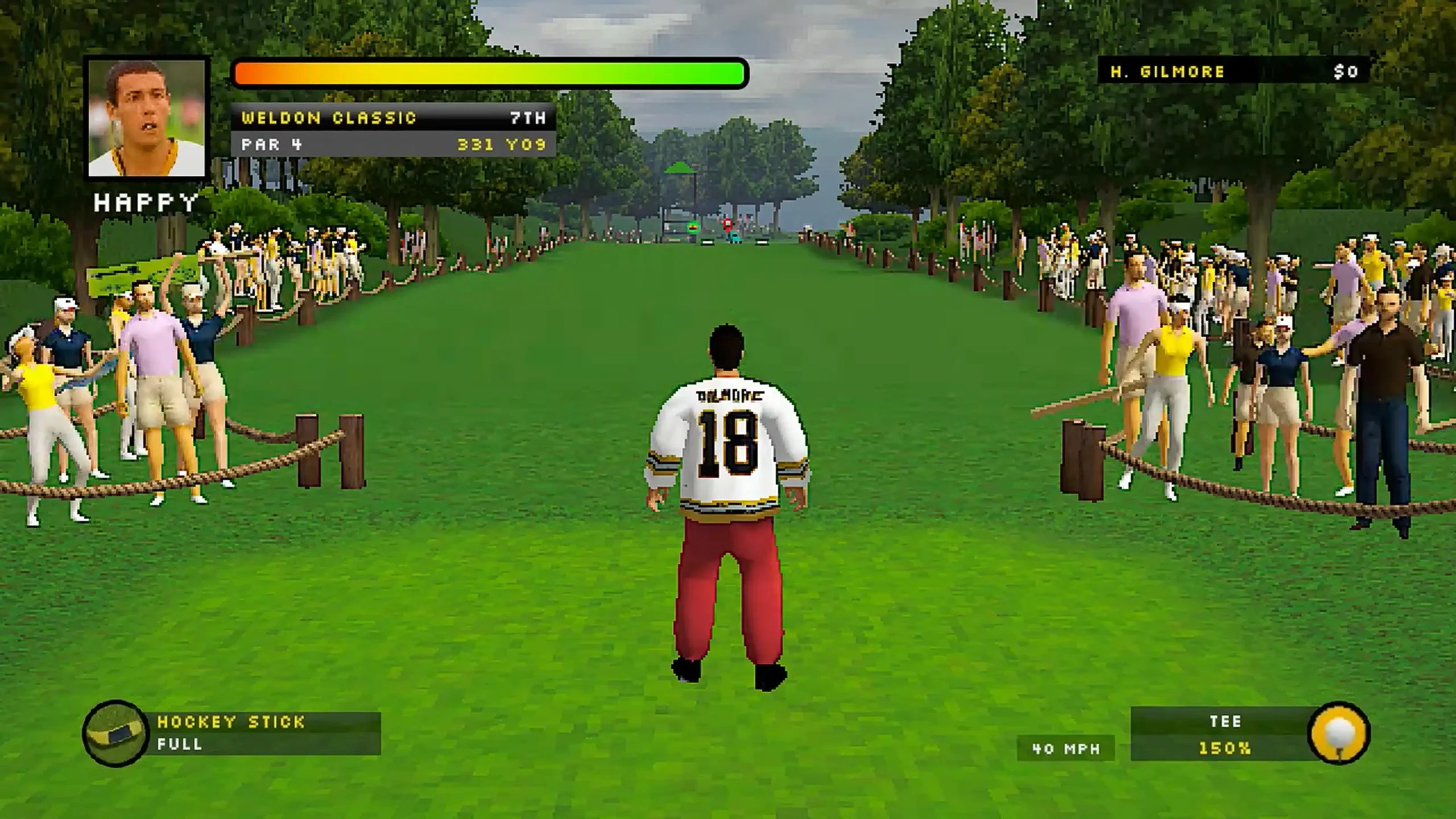
As you can see, the graphics are bad. It hasn't been upscaled for modern high-resolution displays, so it looks very blocky. To be honest, this specific style would probably look much better on a mobile phone screen where the low resolution is hidden by the small size.
Ironically, you cannot play this one on mobile. It is currently only available on TV and web browsers. So while the platform technology works well, some of the older content really shows its age when stretched across a desktop monitor.
07 The Catch: You Still Need a Phone
The Controller Setup
Even though these games run on your PC or laptop browser, you cannot always control them with your keyboard and mouse.
For many of these titles, especially the Party Games like Pictionary, you have to scan a QR code on the screen with your mobile phone. Your phone then becomes the controller or the drawing pad. It works seamlessly, but do not expect to play everything using just a mouse.
08 Getting In & Out of Full Screen
Another quirk I noticed during testing is how aggressive the display settings are. When you click any game to launch it, the browser instantly takes over your entire monitor in full-screen mode.
It is immersive, but exiting back to your desktop isn't immediately obvious as there are no on-screen "exit" buttons. I found two ways to handle this:
-
Method 1: Shift + Tab
You can press Shift + Tab on your keyboard. This brings up the browser overlay, but it is a bit fiddly as it requires a few extra clicks to actually close the window or minimise it. -
Method 2: Hold Esc (The Best Way)
This is the method I recommend. A quick tap of the Escape key often doesn't do anything. You need to hold the 'Esc' key down for a second or two. This forces the browser to exit full-screen mode immediately.
09 Frequently Asked Questions

Sources & References
This analysis is based on the following:
- 1. Personal Testing on PC (Windows 11) using Chrome Browser.
- 2. Netflix UK Library verification (18th Feb 2026).
- 3. Exclusive Analysis: Conducted by Hasnaat Mahmood for FindCheapStreaming.
- 4. My Personal Screenshots: Desktop UI, Beta Notice, Mobile Popup, Gameplay Test.